i don’t know about you but when i read blogs on google reader, i never leave a comment. even if i want to comment, i don’t want to open up a new page or scroll up after reading the other blogs, so i don’t. but google reader has a new updated option now where you can leave comments right on google reader, never having to leave the page(it’s new to me at least ;).
if you have google chrome browser, go to super full feeds for google reader and download.
once it’s installed, you refresh your google reader page and select a blog post and you’ll see some new options such as these:

click on the “link” tab by the red arrow and you’ll see blog posts like this:
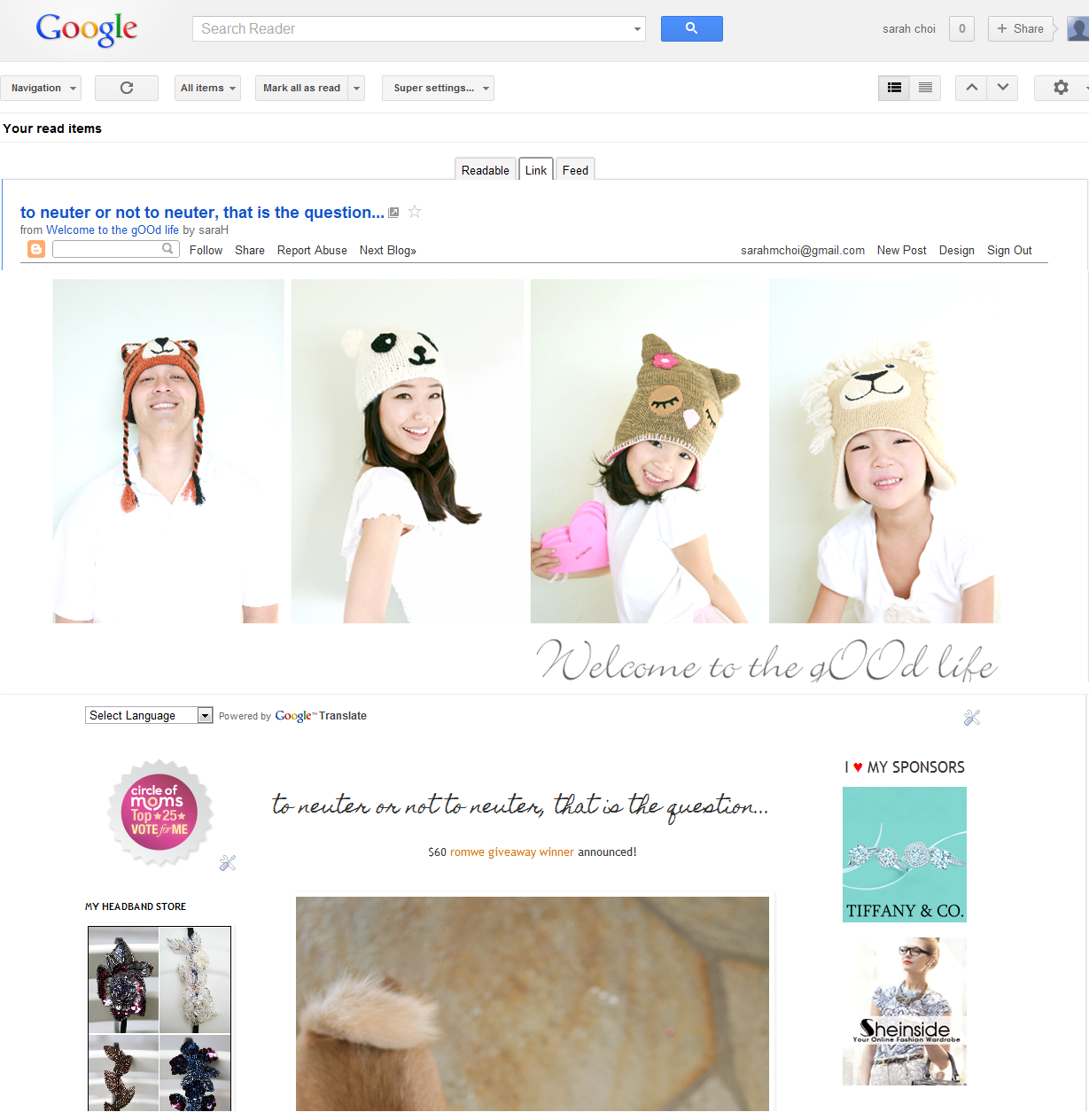
you’ll see the whole blog just as if you were on their blog page! you’ll see the blog header, the side bars, and of course, post a comment.

This. Is. Brilliant. Thank you so much for sharing this, I think you just saved me a hour out of my day!
Hmm, I installed it and everything has been refreshed, but my reader is still showing the exact same way as it always has. Not sure what I've done wrong?
Did you click.on the link tab?make sure you're still not on the feed tab, it is automatically set there. Hope that works?
@Jaclyn, Re: I don't even see a link tab? This is what I see in my reader..
Did you try clicking on a blog post?
@Jaclyn, Re: AHA! NOW I see the tabs! Thank you for helping the inept this morning!!
No problem, I'm glad we figured it out! 🙂
Thank you so much for sharing this information, I will definitely comment on blogs more often now!
Really? I'll try this right now, I've just come from google reader to comment on your blog!
Thanks!
thank you sooooooooo much for posting this!!!!!!
You are so welcome! I'm glad I can be of help!